Skip to content
WorkPulseSolutions

Employee time tracking software

Your work.
In full motion.

Track employee time, understand app and website usage, manage projects and prepare payroll. One connected workspace for your whole workday.

Everything starts with a connection.

Bring time, people and projects into one workspace.

A little more clarity.
At every step.

  1. 01 Track the hours
  2. 02 Understand the activity
  3. 03 Coordinate the team
  4. 04 Review and report

Less switching. More understanding.

From the first clock-in
to the bigger picture.

Keep the workday connected, with the tools to record time, organise work and prepare payroll from reviewed hours.

01 / CAPTURE

Every working hour,
in one place.

Track sessions on Windows, Android or the web. Use TimeStation for kiosk clock-ins and review requests for time added manually.

  • Employee timesheets
  • Break and idle-time policies
  • Desktop screenshots
Explore time tracking
02 / UNDERSTAND

The context
behind the hours.

Review app and website usage alongside tracked work. Connect hours to projects and tasks, with reports your managers can use.

  • App and website breakdowns
  • Project and task tracking
  • Scheduled email reports
See the product screens
03 / COORDINATE

People, projects
and pay, connected.

Manage team responsibilities, leave and wages in the same workspace. Prepare draft payroll from recorded time, ready for review.

  • Team roles and permissions
  • Leave and wage management
  • Payroll preparation
Compare plans and capabilities
In development · Private testing

AI reporting.
A little more insight.

We’re testing AI workflow reporting to create clearer workday summaries, highlight recurring tasks and suggest ways to improve everyday processes.

Still in development and not yet generally available.

Talk to us about what’s next

Take a closer look

Your workday.
Already in view.

Explore actual WorkPulse screens, from dashboard hours to software usage and employee timesheets. Select a screen, then open it for a closer look.

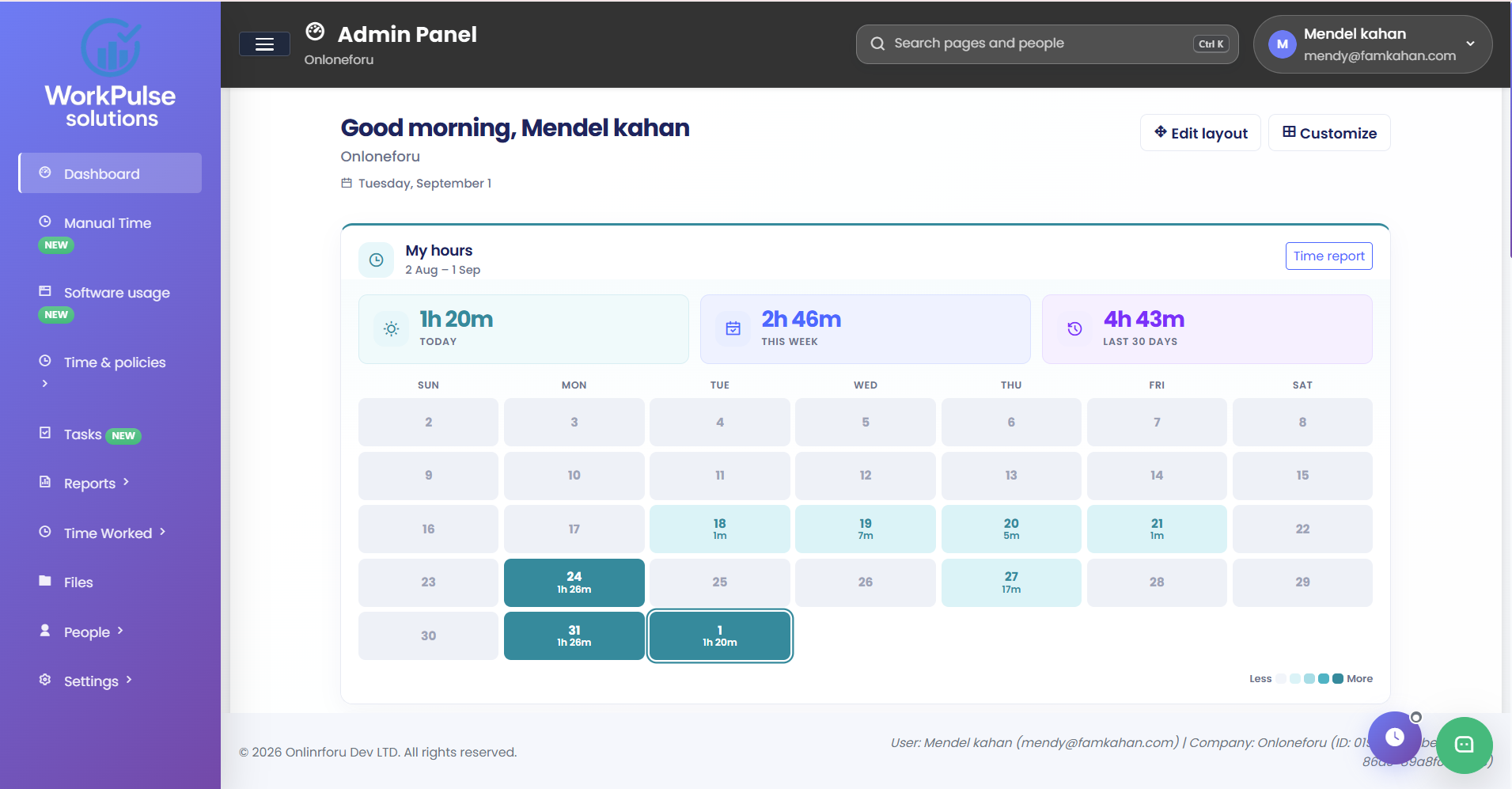
WorkPulse dashboard with a calendar of hours and today, this week and last 30 days totals

Dashboard

Today’s hours, the week and an arrangeable layout for apps, people and activity.

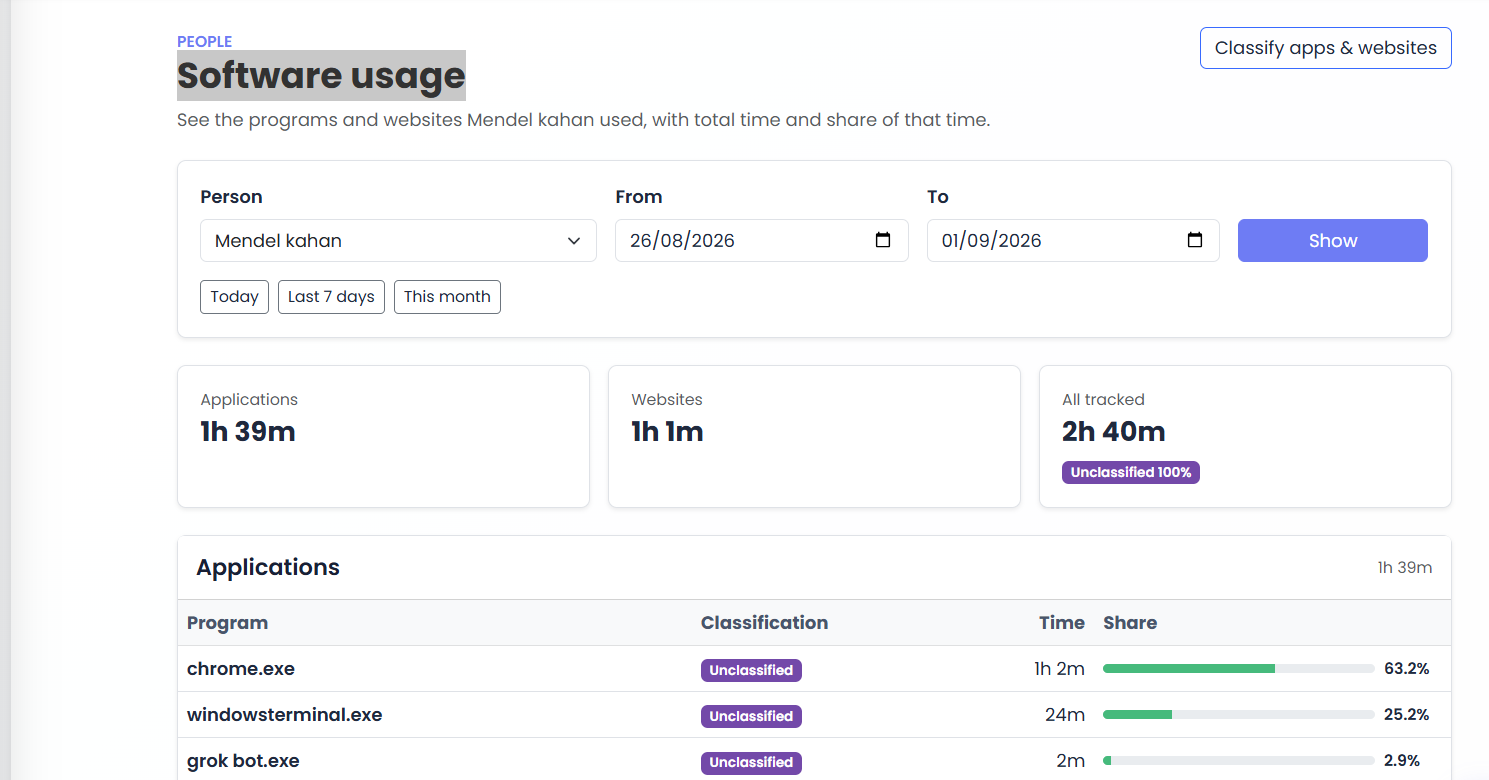
Software usage page showing application and website time with share of total

Software usage

Programs and websites with total time, percent, and room to classify them.

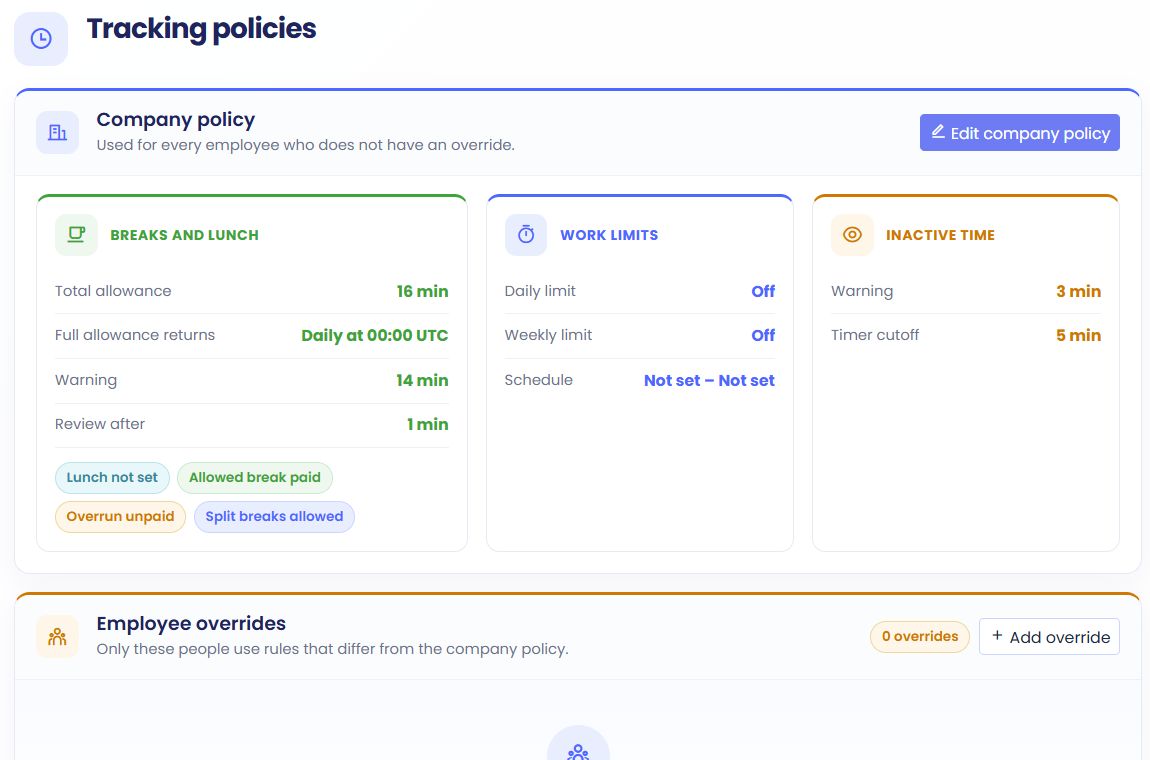
Tracking policies page with company break, work limit and inactive time rules

Tracking policies

Company default rules, with an override only when someone needs different settings.

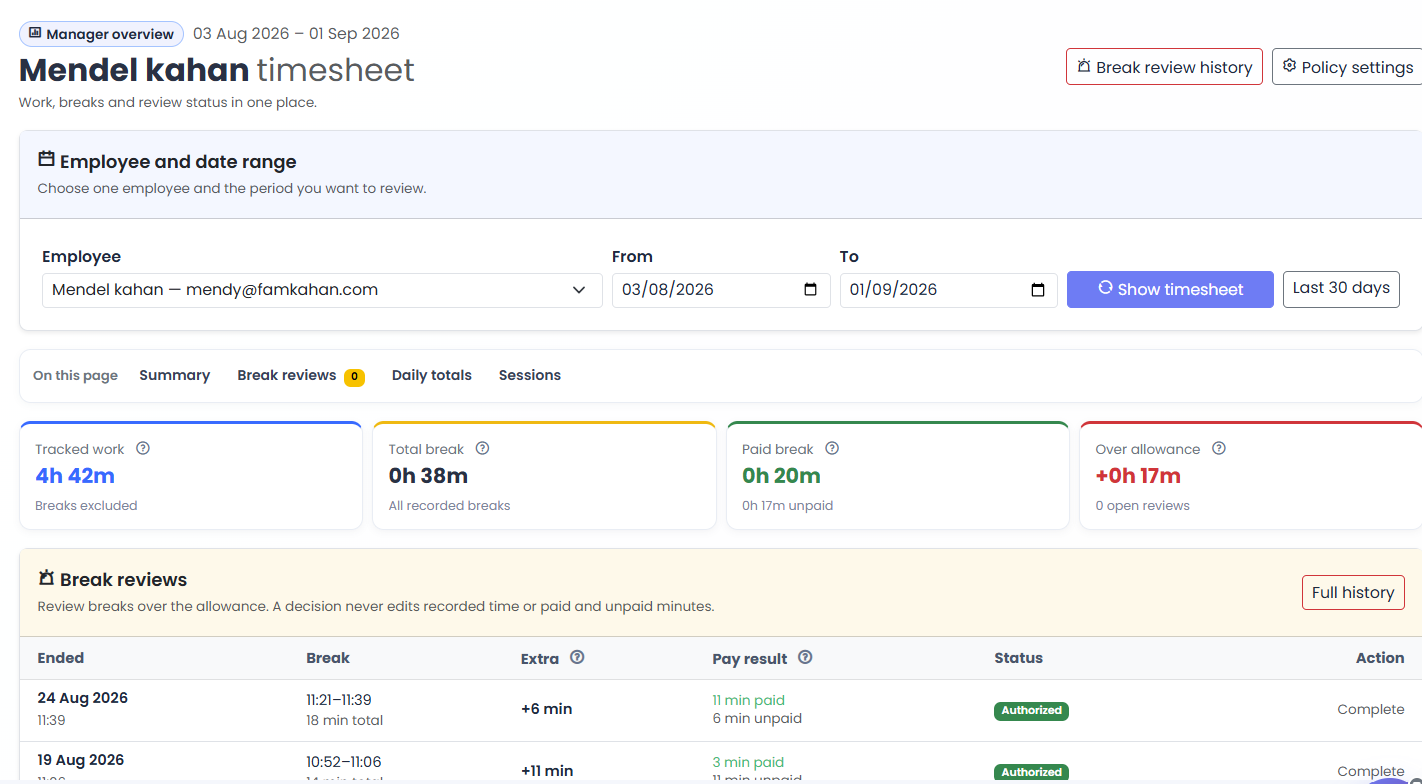
Employee timesheet with tracked work, breaks and break review status

Employee timesheet

Work, breaks and review status for one person over the dates you choose.

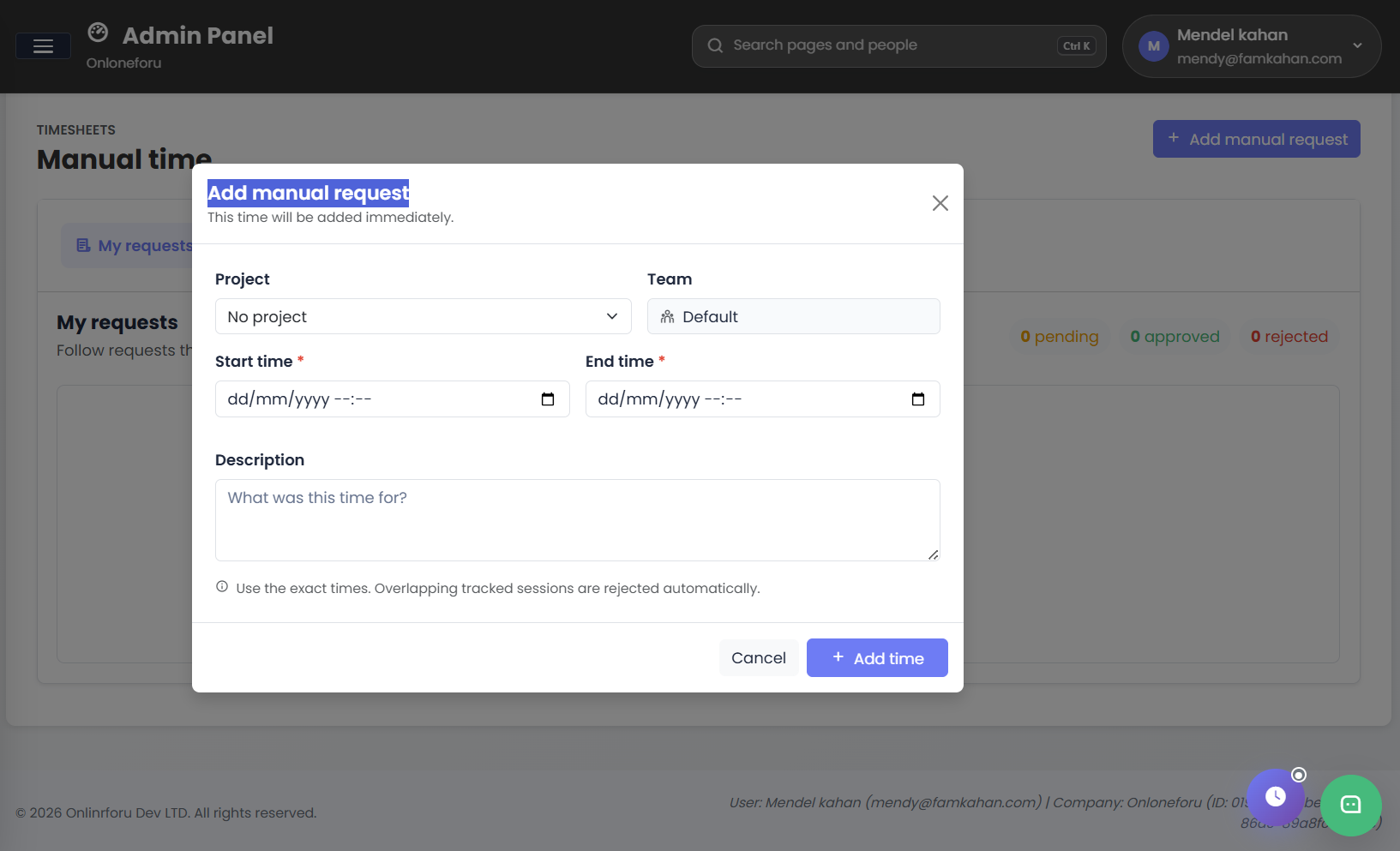
Add manual time request form with project, team, start time and end time

Manual time

Add hours that were not captured by the tracker, then follow the request through approval.

Built around the way you manage

Spend less time
piecing it together.

Who’s tracking? Where did the week go? Which hours are ready for payroll? Bring the answers into one company workspace.

Explore the workspace guides

Start with your team’s day

Arrange dashboard widgets for hours, software usage and team activity around the way you work.

Set the rules once

Choose company break, idle and work-hour policies, with individual overrides when needed.

Give people the right access

Use roles and permissions to control who can review captures, manage projects or prepare payroll.

A few useful answers

Before you
get started.

Want to talk through your team’s setup?

Talk to the WorkPulse team
What is WorkPulse used for?

WorkPulse brings employee time tracking, screenshots, app and website usage, projects, leave and payroll preparation into one company workspace. Managers can review recorded hours and team activity without moving between separate tools.

How can employees track their time?

Employees can track time with the Windows desktop app, Android app or web timer. Teams can also use TimeStation to clock in at a kiosk. Administrators choose which tracking methods each person can use.

Can tracked hours be used to prepare payroll?

Yes. WorkPulse uses tracked time, dated wages and approved paid leave to prepare a draft pay run. Managers review the calculation before approval and record payments after they have been made.

Does WorkPulse show app and website usage?

WorkPulse records application and website usage during supported tracking sessions. Managers can review time spent by person and classify usage as core, non-core or unproductive.

Is the new AI reporting system available?

The new AI workflow reporting system is currently in private testing. We are exploring clearer workday summaries and workflow insights. It is still in development and is not yet generally available.

Make room for a clearer workday

Bring your team’s
work into focus.

Start a workspace, explore the plans, or talk through what your team needs.

Inside WorkPulse

Workspace preview